What is the Lead Survey Response Grid Data?
On the survey response grid, you will first see some of the data associated with the lead that entered the survey, like name, email, phone number, and dealer. To reference this, you’ll want to note the first several columns.
Also, on the grid you’ll find a column noting the response date. The response date will indicate the date that the survey was completed. This date might differ from the date the email inviting the lead to take the survey was sent.
You’ll also see a column for the survey type. The PSI survey is most commonly used to ask the lead if he/she was contacted by the dealer. For this purpose, there are two different surveys that exist: 1. Yes, I was contacted, & 2. No, I was not contacted. Examples of each are below.
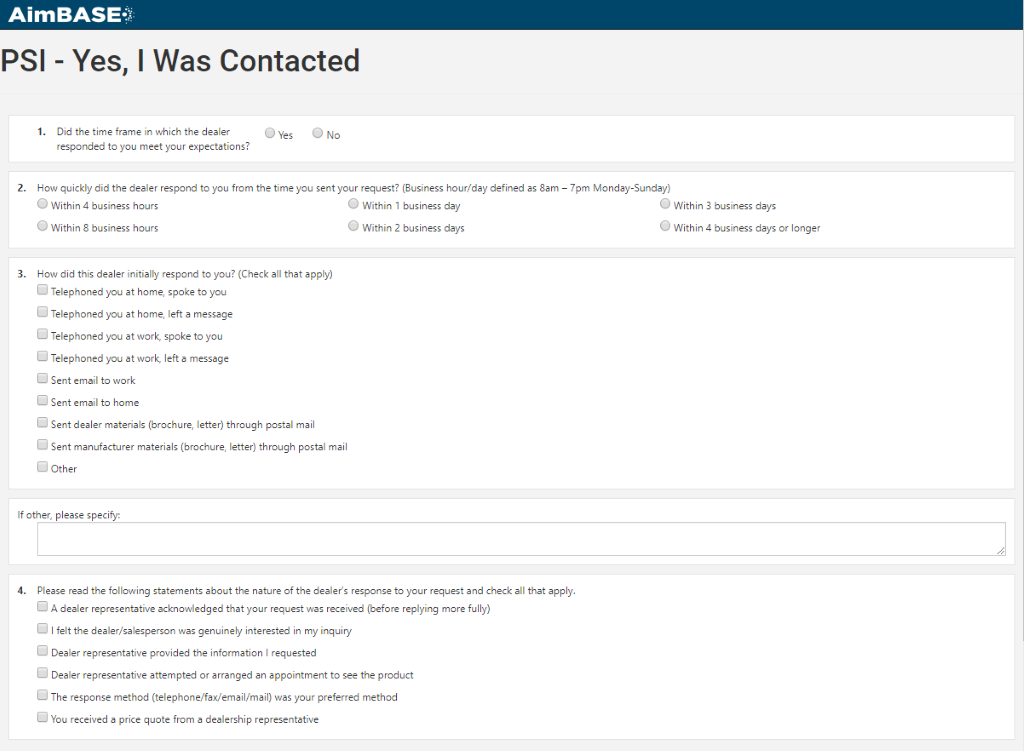
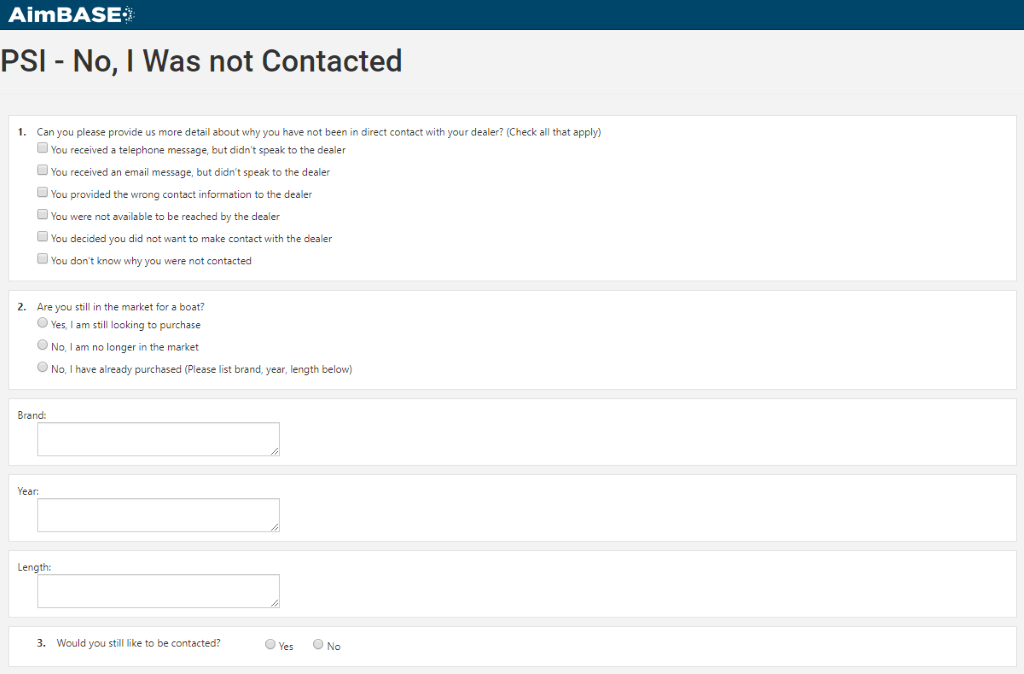
You can view more information about the answers provided on each survey by clicking anywhere on the row containing the data you’d like to see more information about.
Lead Survey Response Detail
Within the details screen for each record you’ll see data pertaining to the person on the left, and then actual answers to the survey he/she completed on the right.
Within the details on the left of the screen is an option that says ‘View Survey’. Clicking the link next to this option will open a new screen that shows you the survey responses formatted in a way more similar to how the lead saw it when he/she completed the survey. This screen and the details on the right will vary based upon the survey that was completed by the lead.
Also, on the left side is a link that says ’Exclude From Reporting’. The data collected from these surveys directly relates to the Prospect Satisfaction reports under the Reports tab within Aimbase. Clicking ‘Exclude From Reporting’ will simply remove the survey you’re clicking the link on from the metrics found in those reports.
Frequently Asked Questions
What information appears in the Lead Survey Response Grid?
The response grid displays key details about each lead who completed a survey, including name, email, phone number, dealer, and the survey response date. It also shows the type of survey the lead received.
Why might the survey response date differ from the date the email was sent?
The response date reflects when the lead actually completed the survey, not when the survey invitation was originally sent. Leads may respond days or weeks after receiving the email.
What types of surveys might appear in the survey type column?
Two primary PSI (Prospect Satisfaction Index) surveys are commonly used:
- Yes, I was contacted
- No, I was not contacted
These surveys help determine whether the dealer contacted the lead after receiving their information.
How do I view the full details of a specific survey response?
Click anywhere on a row in the survey response grid. This opens the Lead Survey Response Detail screen, which shows the lead’s information on the left and their survey answers on the right.
What does the ‘View Survey’ link show?
The View Survey link displays the lead’s survey responses in a formatted view that closely matches how the lead saw the survey when completing it.
Why do some survey detail screens look different from others?
The right-side details and survey layout vary depending on which survey type the lead completed. Different surveys ask different questions.
What does ‘Exclude From Reporting’ do?
Selecting Exclude From Reporting removes the specific survey response from metrics shown in Aimbase’s Prospect Satisfaction reports. This is useful for removing test surveys or inaccurate submissions.